Manage Every User. Control Every Permission.
Create custom roles, assign department access, manage campuses, and give every team member exactly the permissions they need—all from one centralized workspace.
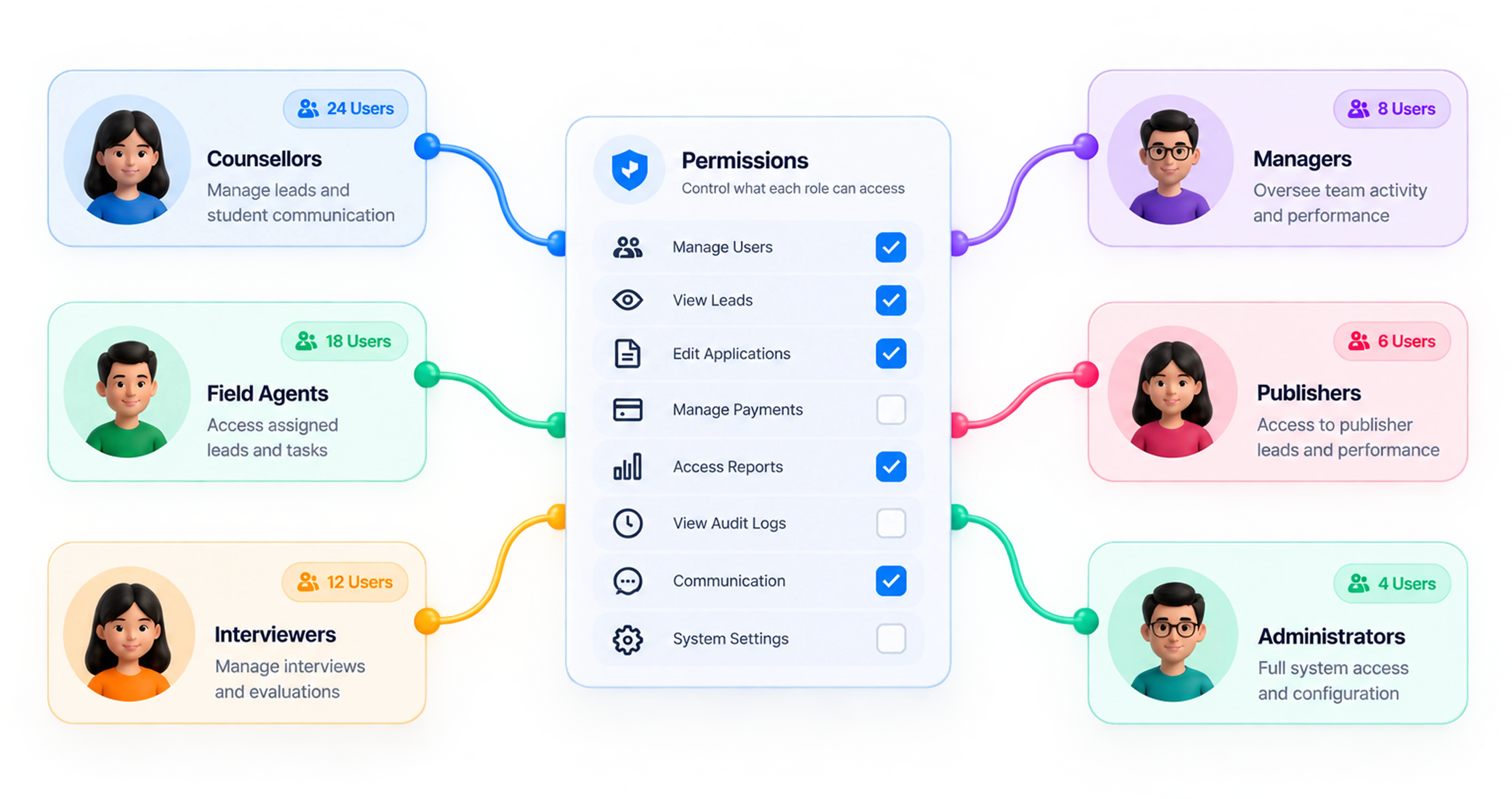
Access Control Isn't Optional Anymore.
As your team grows — counsellors, managers, agents, publishers, interviewers — edMission scales access right along with your org chart, so growth never turns into risk.
Only See What's Yours
Every team member only sees the leads and contact details their role actually needs — nothing more.
Every Action Is Logged
Every change is tracked — who made it, when, and from where — so there's always a clear trail.
Nothing Gets Left Behind
When someone leaves, their leads are reassigned as part of the offboarding flow — nothing sits unowned.
Create, Assign, And Secure Access — Down To The Permission.
Build your own roles and tick exactly what each one can do — 60+ permissions across Leads, Automation, Communication, Documents and more. Scope every role to the portals it belongs to, right down to the pipeline stages it's allowed to see.
- Unlimited custom roles, built by you
- 60+ permissions to pick from, module by module
- Scoped per portal — down to pipeline stage
Permissions granted
00/ 67
Manage Users
Add and manage users in the system
Audit Logs
View audit logs and system activity
Communication
Manage communication settings
View Lead
Open and read lead records
Export Lead
Download lead data as a report
Let Your Team Do Their Job — Without Exposing Every Field.
You decide which roles can see raw contact details. Fields like email and phone can be masked for any role, and only users you've granted unmask permission see the actual values — everyone else keeps working the same lead, just without the sensitive data. Publisher and agent portals have their own separate masking controls, so external partners can work leads without seeing raw contact information.
Viewing as Publisher Partner
Full Name
S•u•m•i•t• T•r•i•p•a•t•h•i•Phone
+•9•1• 9•8•4•5•0• 1•2•3•4•5•Every Change, Every Login — Every Device, Logged.
Every user, role, and permission change is captured automatically — who made it, from where, and on what device — alongside a separate authentication log tracking every login. Filter and search the full trail from a dedicated audit dashboard.
- Full audit trail on user/role/permission changes
- IP address and device tracking
- Separate login/authentication audit log
- Filterable by resource, action, user, device, and date range
Created LLM Report
JKJayant KarambelkarMobile49.248.200.6
Created Landing Page
JKJayant KarambelkarDesktop49.248.200.6
Changed role • Counsellor → Manager
PNPriya NairDesktop49.248.200.6
Logged in — new device
RMRohan MehtaMobile103.21.58.14
Ready to Transform Your Admissions Process?
See edMission CRM in action with a personalized demo from our team. No commitment required.