Bulk Action Logs — Bulk Email / SMS / WhatsApp
Covers Bulk Email, Bulk SMS, and Bulk WhatsApp campaigns sent from the Leads bulk actions bar.
How to Send a Bulk Campaign
Bulk Email
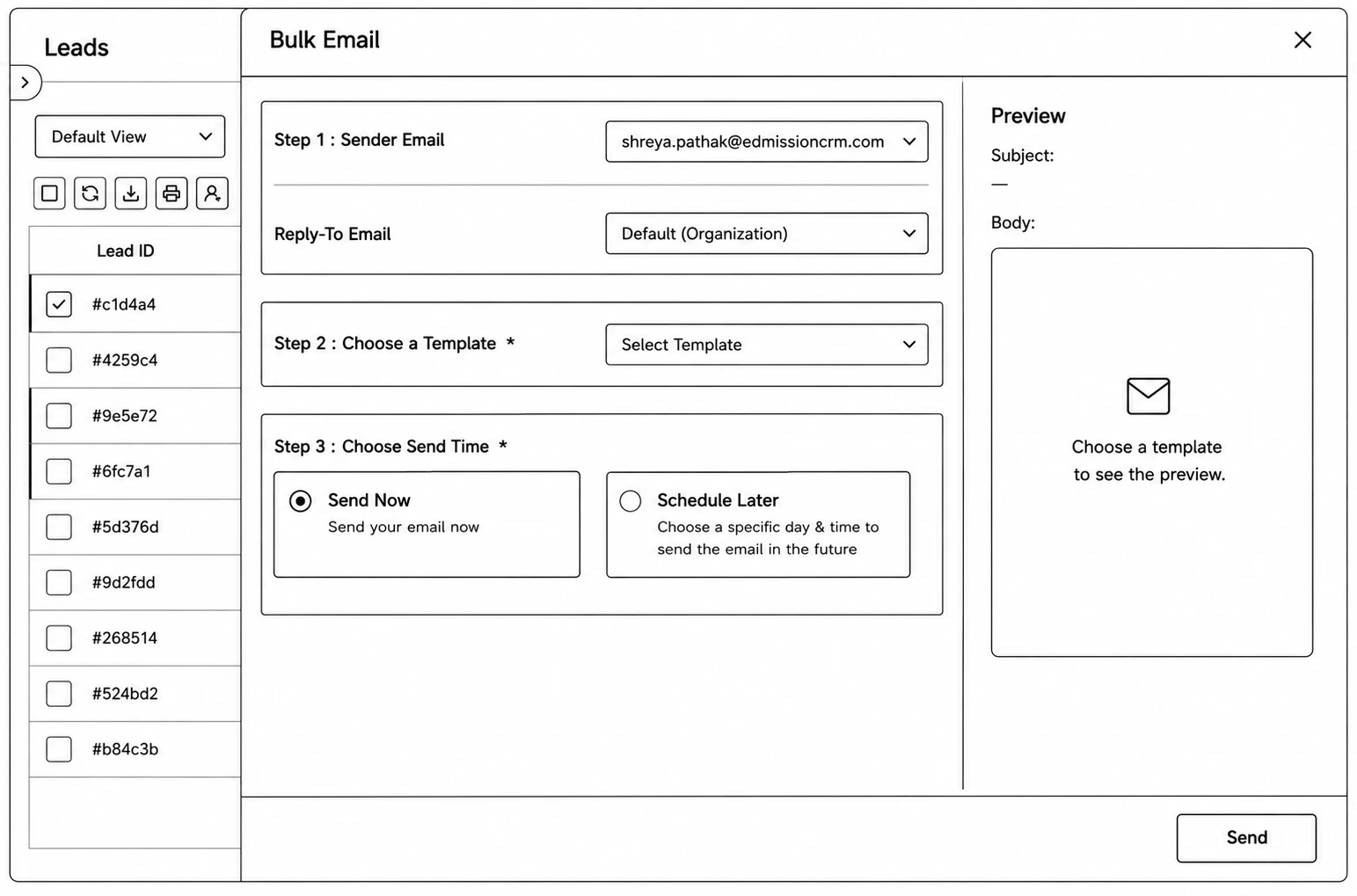
Step 1 (Sender Email): Pick which of your verified sender addresses the email goes out from, and optionally a Reply-To address (defaults to the organization’s).
Step 2 (Choose a Template): Select the email template to send — the Subject and Body preview on the right update to match.
Step 3 (Choose Send Time): Send Now, or Schedule Later for a specific day & time.
Bulk SMS
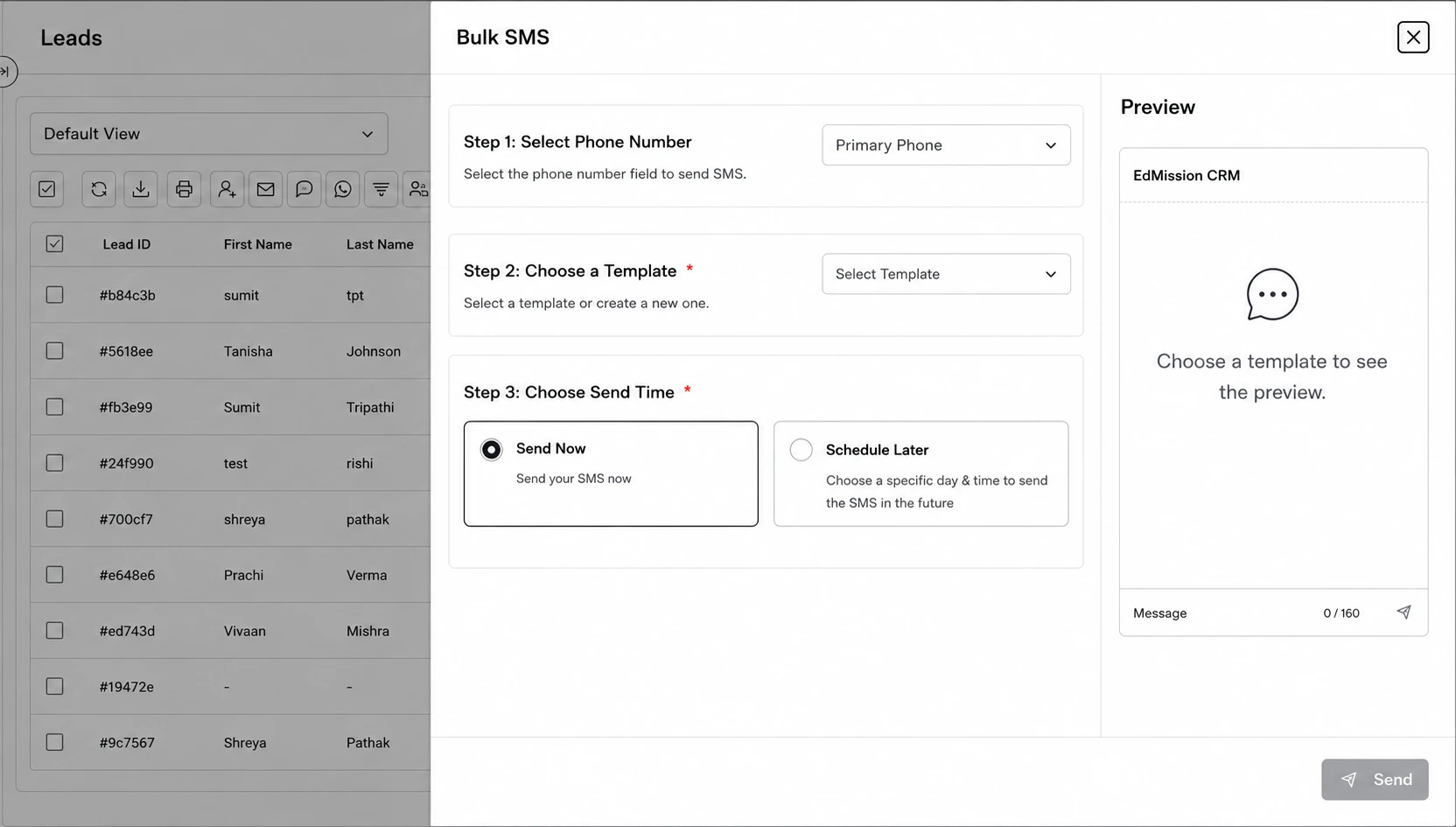
Step 1 (Select Phone Number): Choose which phone number field on the lead to send to (e.g. Primary Phone).
Step 2 (Choose a Template): Select the SMS template — the message preview updates on the right.
Step 3 (Choose Send Time): Send Now, or Schedule Later for a specific day & time.
Bulk WhatsApp
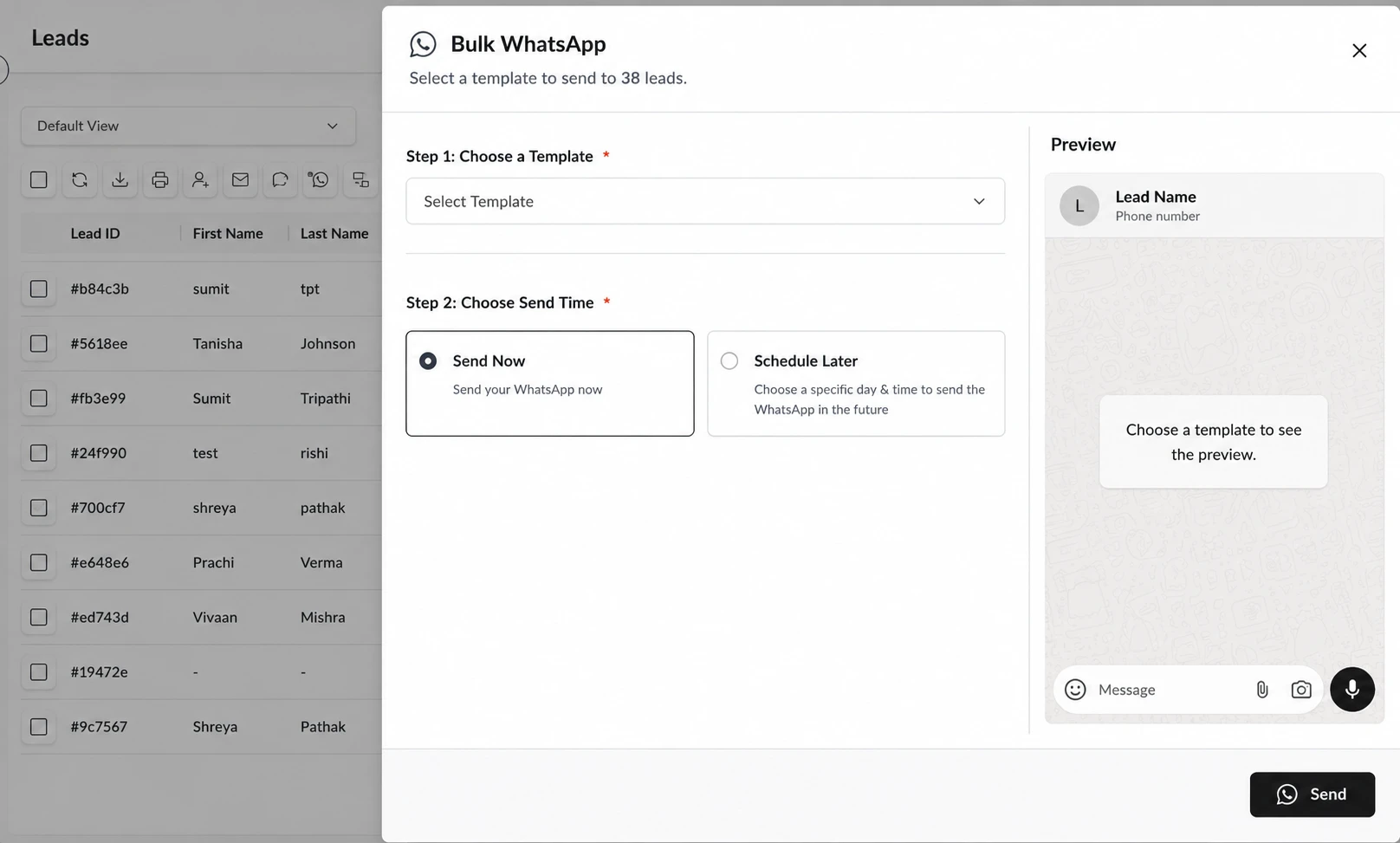
Step 1 (Choose a Template): Select the WhatsApp template to send — the chat-style preview on the right shows exactly what the lead will receive.
Step 2 (Choose Send Time): Send Now, or Schedule Later for a specific day & time.