Leads — Payments
Everything about this lead's course fee — split into two sub-tabs:
Installment Plans (if course fee installments are enabled)
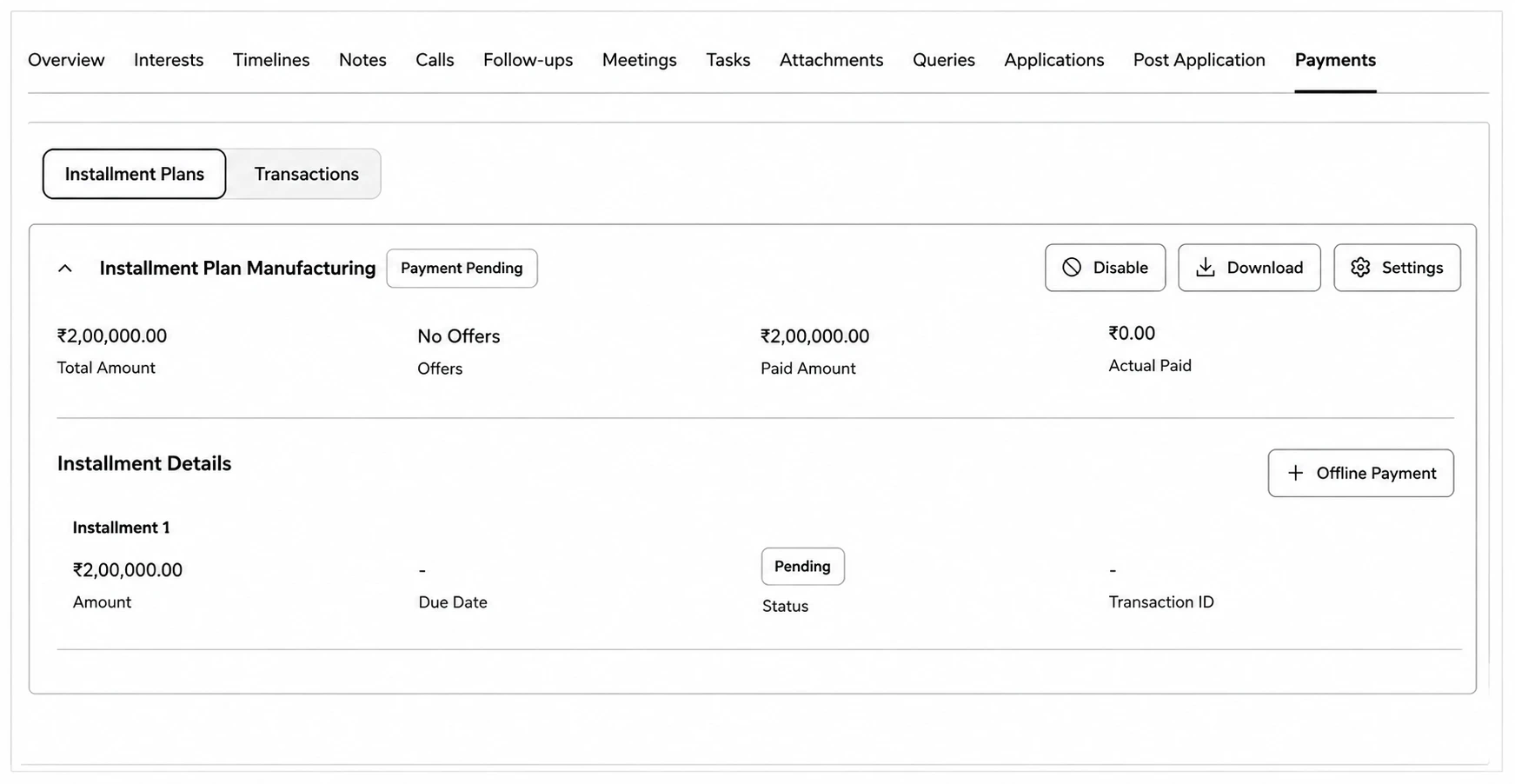
- Shows Course Fee, Offers, Net Payable, and Actual Paid at a glance, plus a full Installment Details breakdown — amount, due date/paid date, status (Paid/Overdue/Pending), and transaction ID per installment.
- Download Receipt on paid installments, or Offline Payment to manually record one that was paid outside the CRM.
- Enable/Disable or Deactivate the plan (each requires a comment explaining why).
- Settings opens the coupon/scholarship configuration.
- A Plan History section below shows any previous plans and how they changed over time.
Transactions
- A log of every payment transaction with its type, amount, date, and status (Received, Pending, Failed).
- Download Receipt or Generate Receipt per transaction (for consultant-fee payments), or bulk Generate Missing Receipts.