Communications — SMS — How to Use SMS
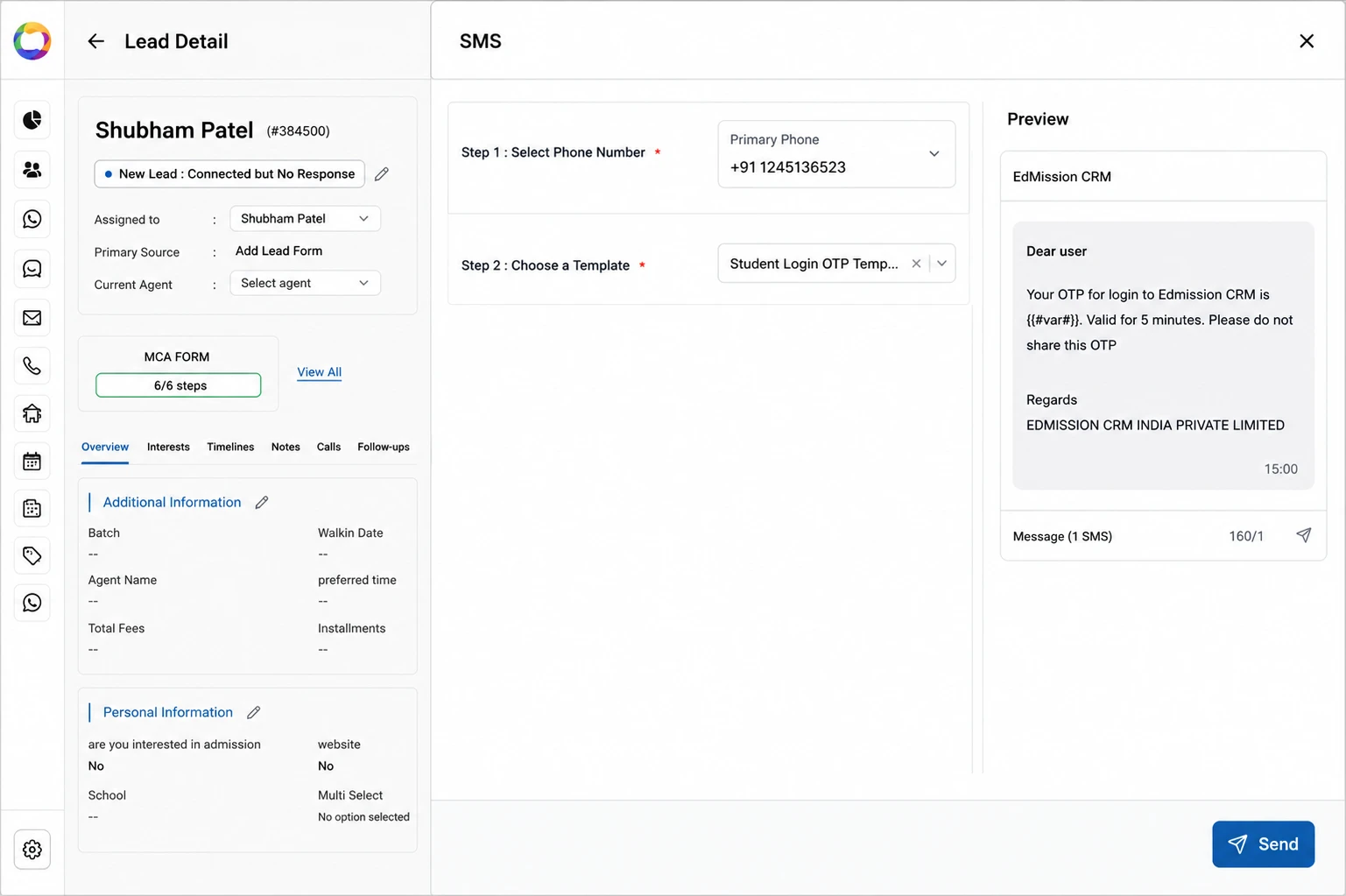
Step 1: Open the lead and click the SMS action.
Step 2: Select the Phone Number to send to.
Step 3: Choose a Template from the searchable list.
Step 4: (If the template references application or meeting data) Select the relevant Application or Meeting record.
Step 5: Review the Preview panel, then click Send.