Leads — Followup
Follow-ups are the reminder to make the next contact with a lead — the single most important habit for keeping the pipeline moving.
How to Add a Follow-up
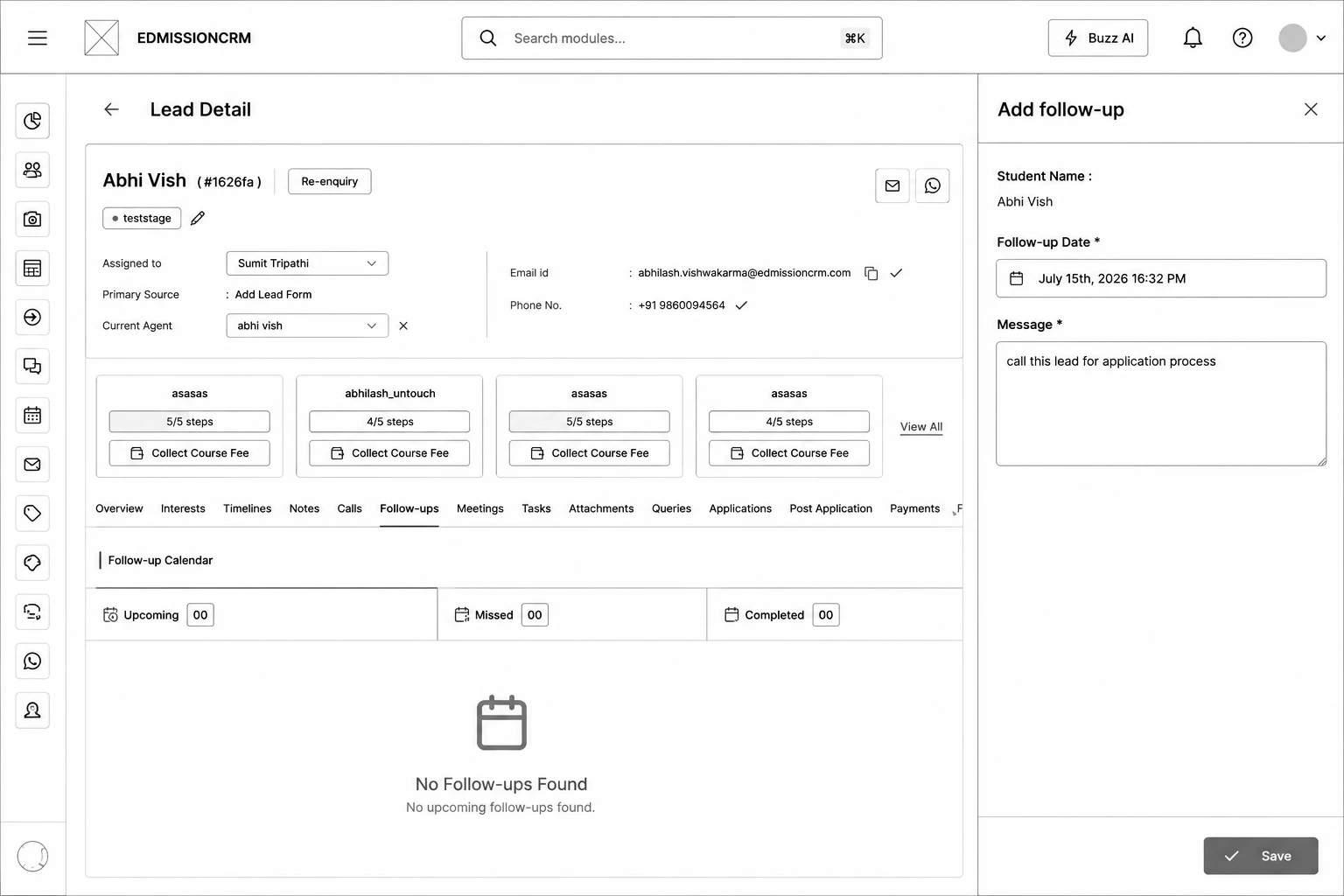
Step 1:Open the lead and click the Follow-ups tab.
Step 2: Click Add Follow-up at the top.
Step 3: Confirm the Student Name shown is correct (auto-filled, not editable).
Step 4: Pick a Follow-up Date — date and time of the next contact.
Step 5:Write a Message — what to discuss or remind yourself of.
Step 6: Click Save.