Communications — SMS
SMS in India requires DLT (Distributed Ledger Technology) registration for compliance — so unlike WhatsApp/Email, SMS templates aren't built with a text editor; they're imported in bulk from your DLT provider.
How to Create an SMS Template (Admin)
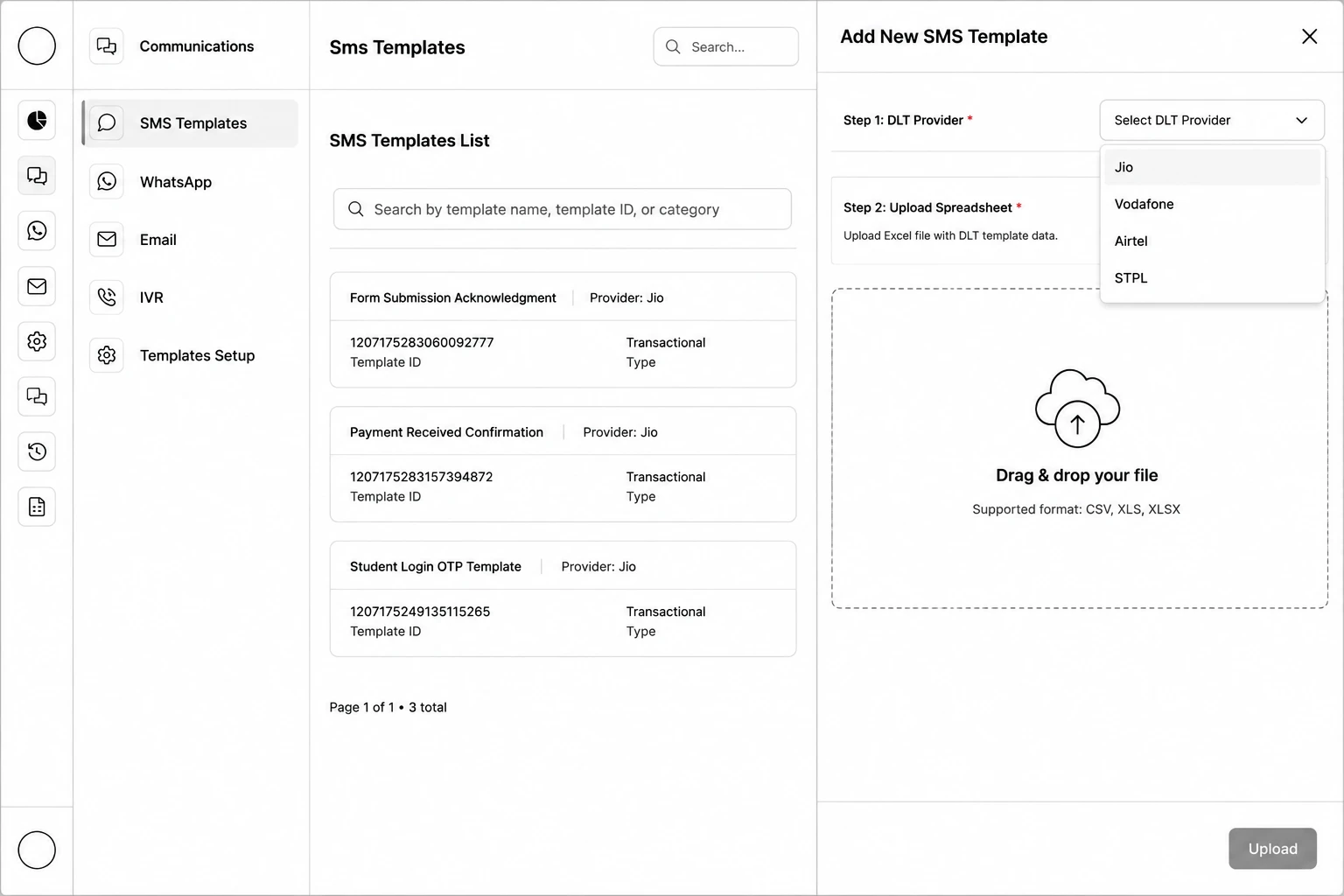
Step 1: Go to Communication → SMS Templates and click Create Templates.
Step 2: Select the DLT Provider.
Step 3: Click Upload File (or drag and drop) a CSV, XLS, or XLSX spreadsheet of your DLT-approved templates.
Step 4: Click Upload.
Step 5: For each imported template, use the Settings icon to open Variable Mappings and map each {{n}} placeholder to a lead, application, or other field. Also set a Header if the template needs one.