Integrations — WhatsApp Integration
This connects your WhatsApp Business Account credentials — separate from the message templates managed under Communication.
How to Connect WhatsApp
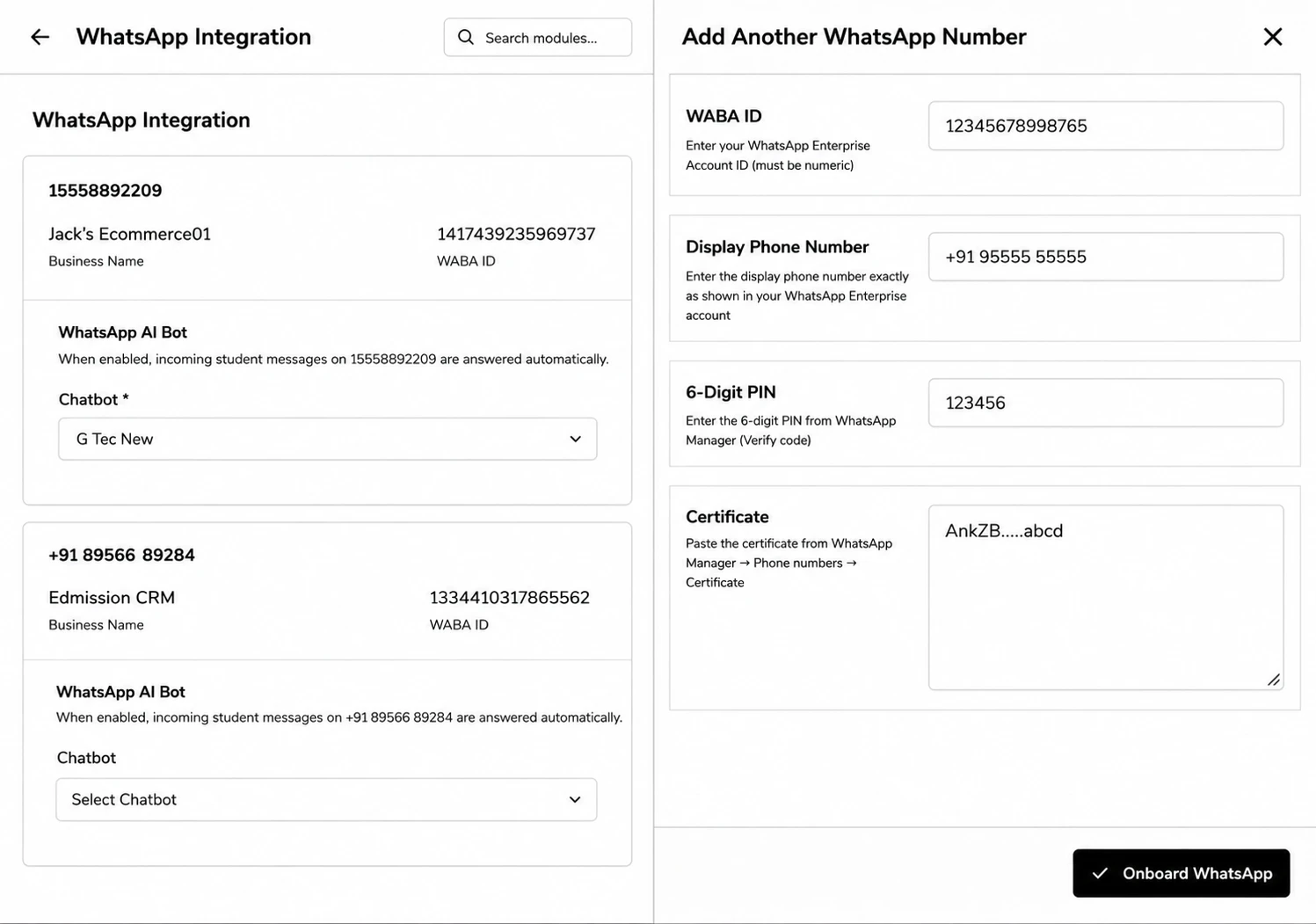
Step 1: Go to Integrations → WhatsApp Integration and click Connect WhatsApp Enterprise.
Step 2: Enter your WABA ID, Display Phone Number, the 6-Digit PIN from WhatsApp Manager, and paste the Certificate from WhatsApp Manager → Phone Numbers → Certificate.
Step 3: Click Onboard WhatsApp. Once connected, you’ll see the Phone Number ID, Verified Name, and Verification/Webhook status.
Capturing Unknown WhatsApp Leads
Click Lead Capture, toggle Capture unknown WhatsApp leads, and set a Default Name, Channel Source Group, and Medium — an inbound message from an unknown number will now create a lead automatically before the message is saved.