Interview Slot Booking
Interview Slot Booking manages the entire post-application interview process — admins set up interview time slots and assign interviewers, counsellors book a student into a slot from the CRM, and interviewers record their marks through a separate portal.
In short: Admin creates the slot schedule → CRM books a lead into a slot → Interviewer submits marking → Result flows back to the lead's application.
Booking & Interviewers
Configuring Interview Slots (Admin Console)
What You Can See
The Interview Slot Booking page lists every slot group (a batch of interview time slots) as a card, filterable by Published, Draft, and Archived tabs. Each card shows the Title, Start Date, End Date, Status, and — once published — how many Students and Interviewers are booked versus available.
How to Create an Interview Slot Group
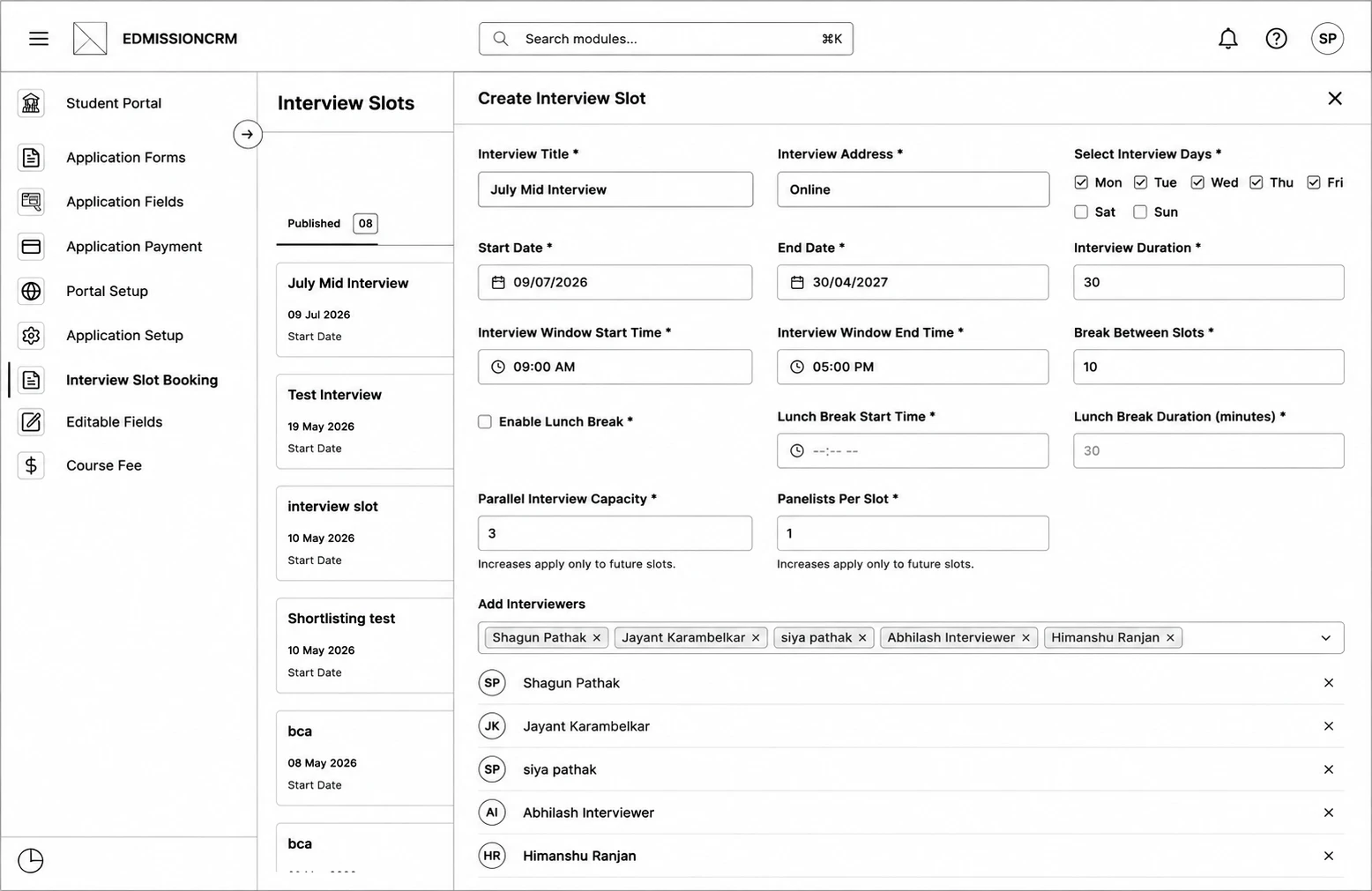
Step 1: Go to Interview Slot Booking from the sidebar and click Create Interview Slot.
Step 2: Enter the Interview Title and Interview Address.
Step 3: Select the Interview Days (which weekdays interviews run on).
Step 4: Set the Start Date and End Date for the whole schedule.
Step 5: Set the Interview Duration (minutes per interview).
Step 6: Set the Interview Window Start Time and End Time — the daily hours interviews can be booked in.
Step 7: Set the Break Between Slots, and optionally enable a Lunch Break with its own start time and duration.
Step 8: Set the Parallel Interview Capacity (candidates per slot) and Panelists Per Slot (interviewers per seat).
Step 9: (Optional) Use Add Interviewers to assign interviewers up front.
Step 10: Choose which lead/application fields interviewers can see (Field Selection), and optionally toggle Show application PDF.
Step 11: Click Save as Draft to review later, or Generate & Publish Slots to make it immediately bookable.
Managing a Slot Group
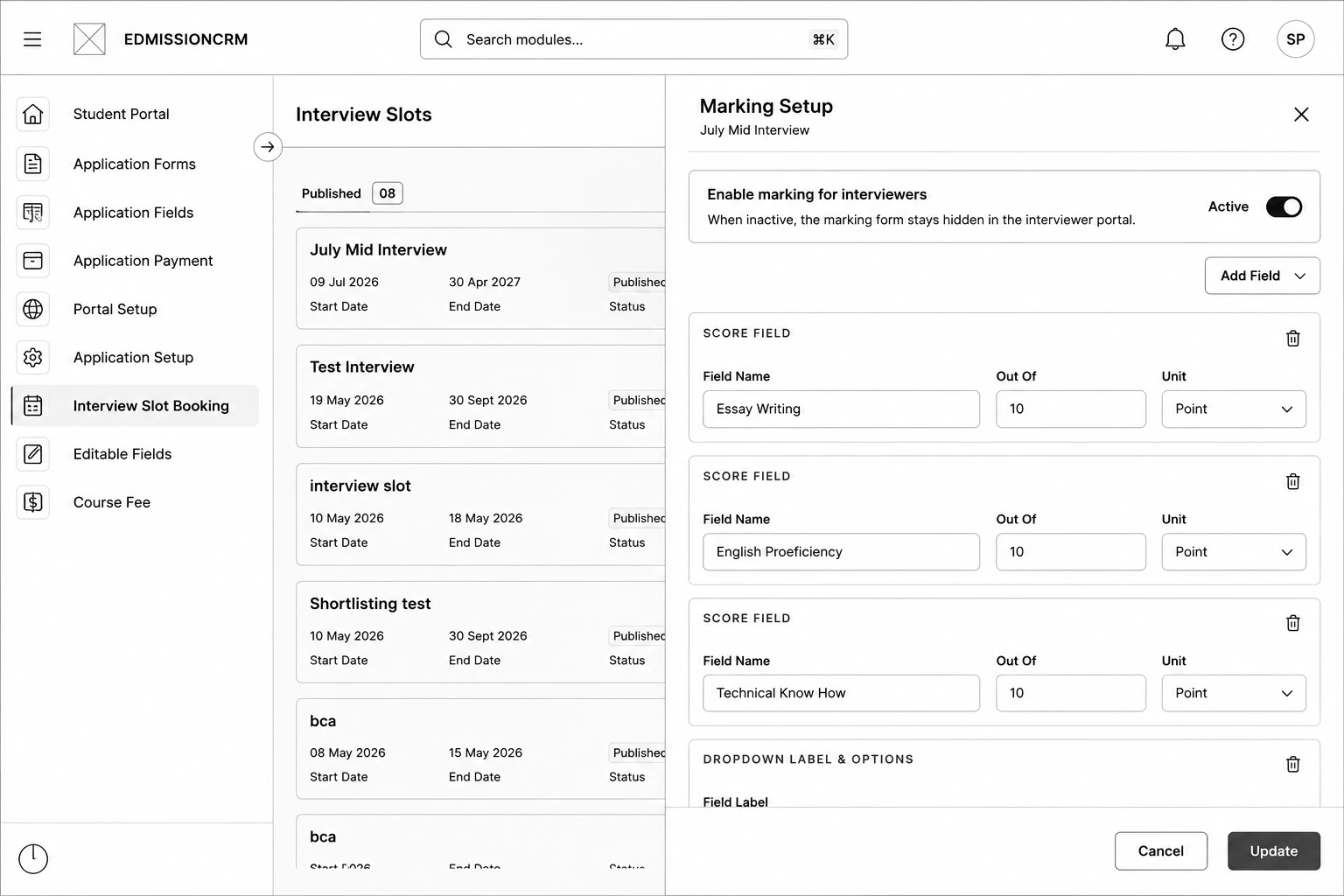
Each card has these actions:
- Add Interviewers – Assign more interviewers; new ones are added to future slots via round-robin.
- Marking Setup – Define the scoring criteria interviewers will fill in (dropdown, numeric "out of X", or free-text fields).
- Result Rule – (if enabled) Set up automated Accept/Reject rules based on marking scores.
- Publish / Move to Draft – Toggle whether the slot group is live.
- Edit / View