Communications — WhatsApp — How to Use WhatsApp
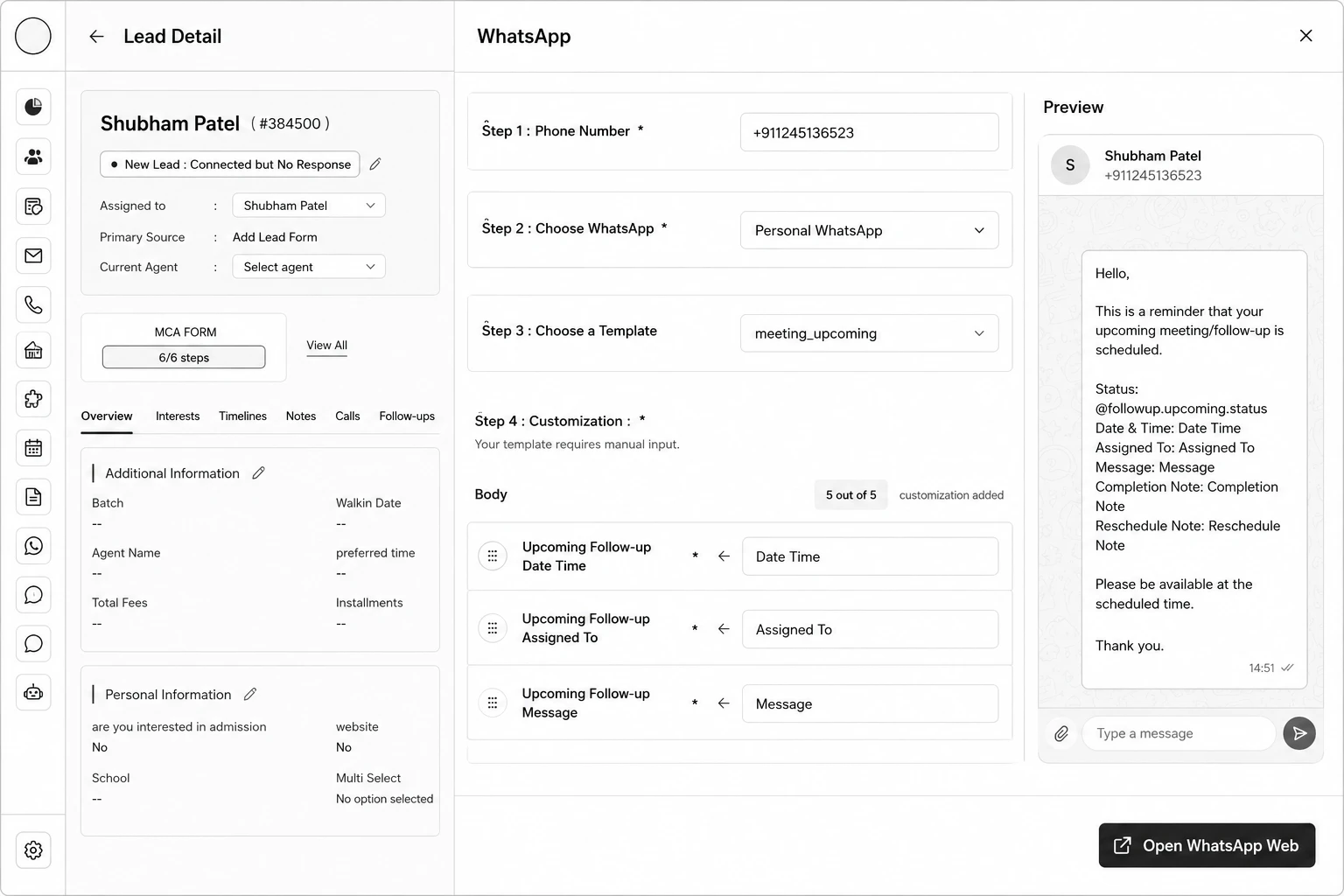
Step 1: Open the lead and click the WhatsApp action.
Step 2: Choose which number to send from — Business WhatsApp or Personal WhatsApp.
Step 3: Select the Phone Number to send to.
Step 4: Click Use Template and choose a Template.
Step 5: If the template has variables, fill in the Customization step — header media and body variables are pre-filled from the lead's data but remain editable.
Step 6: Choose Send Now or Schedule Later (Personal WhatsApp only supports Send Now).
Step 7: Click Send (or Schedule, or Open WhatsApp Web for Personal).