Leads — Task
Tasks are action items assigned to yourself or teammates against a specific lead — separate from follow-ups, which are about contacting the lead.
How to Add a Task
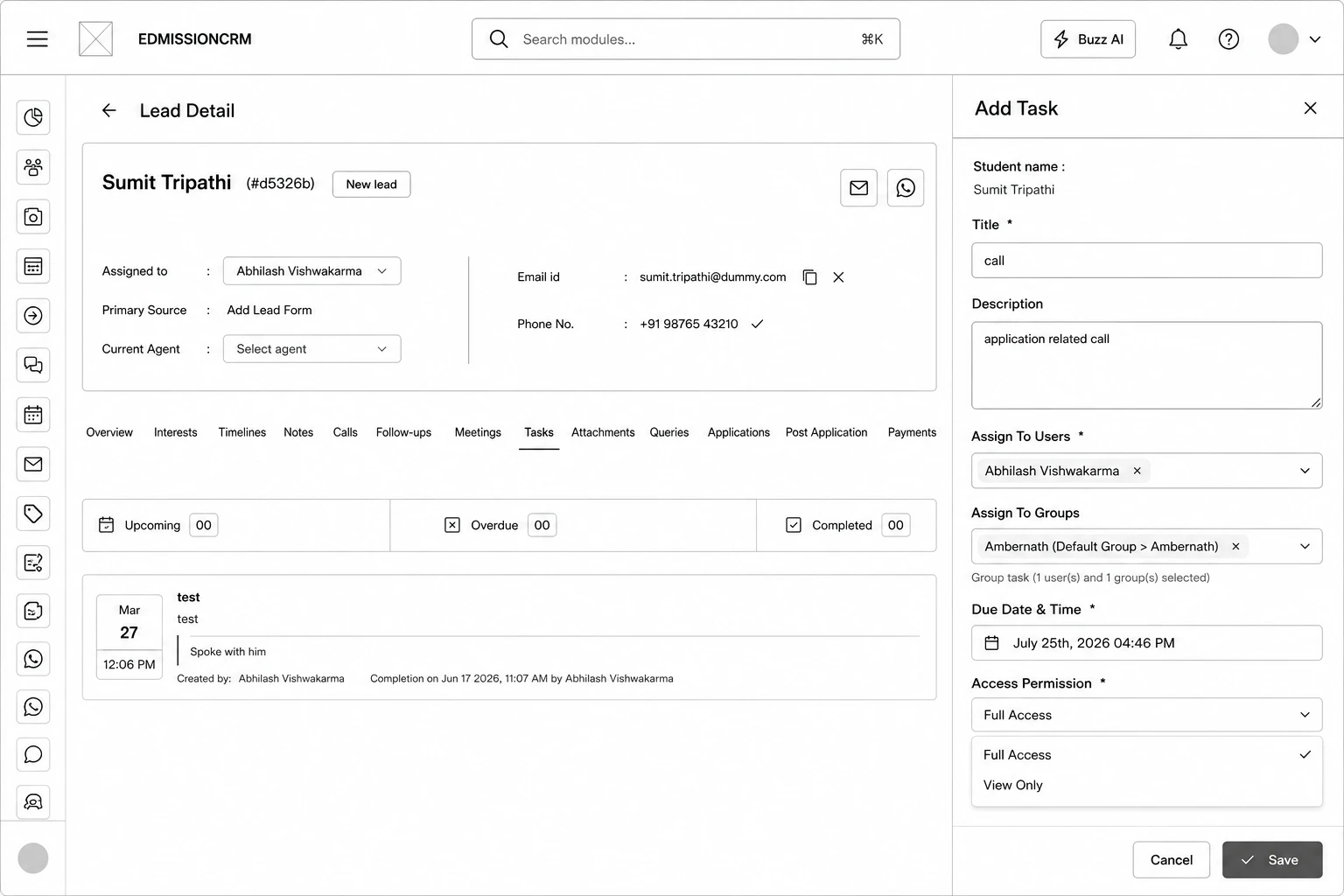
Step 1: Open the lead and click the Tasks tab.
Step 2: Click Add Task.
Step 3: Enter a Title for the task.
Step 4: (Optional) Add a Description.
Step 5: Choose Assign To Users and/or Assign To Groups.
Step 6: Set the Due Date & Time.
Step 7: Choose the Access Permission — Full Access or View Only.
Step 8: Click Save.