Integrations — Payment Integration
Connects the payment gateways used to collect application and course fees.
How to Connect a Payment Provider
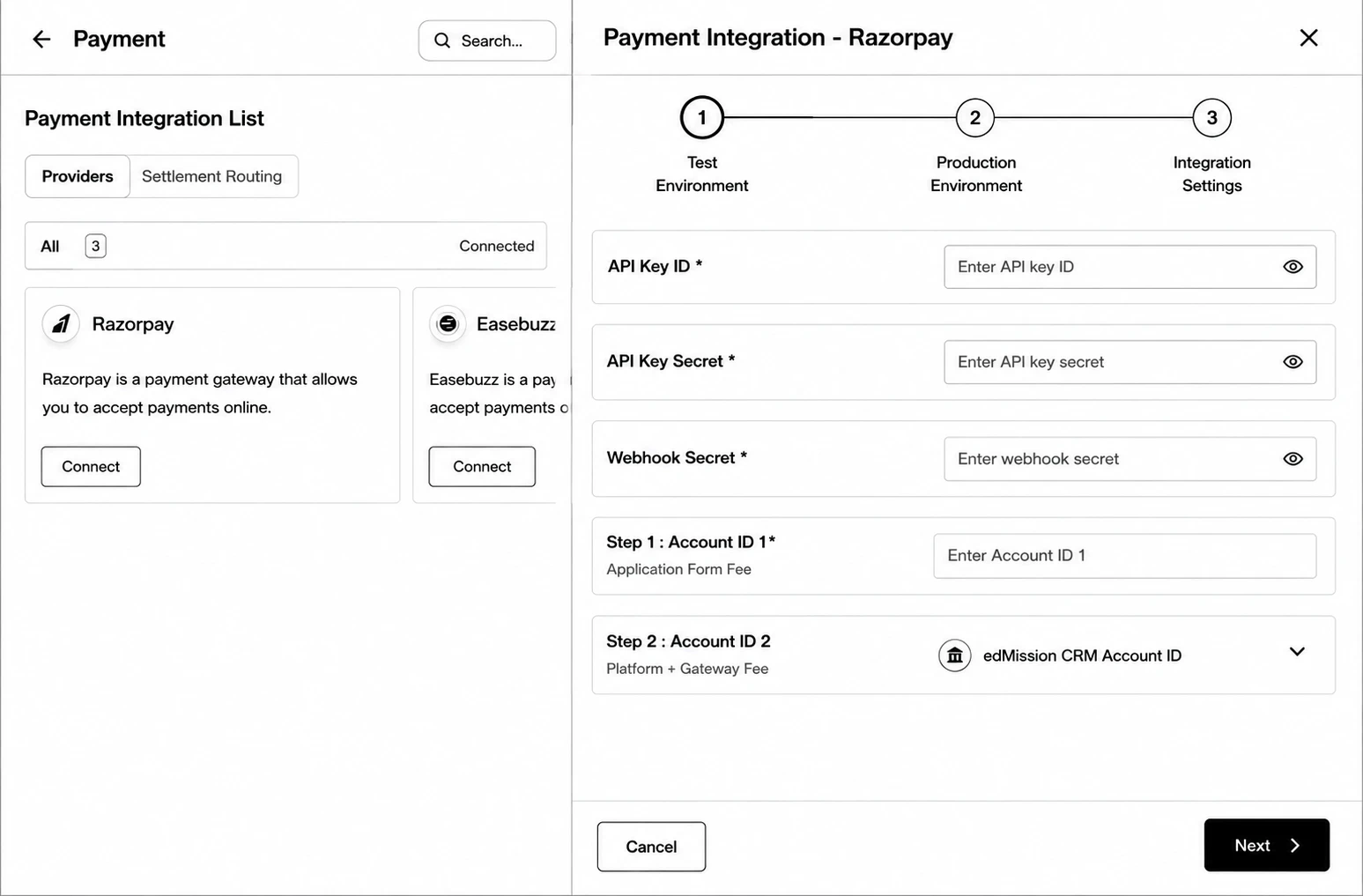
Step 1: Go to Integrations → Payment Integration, find your provider (Razorpay, Easebuzz, or Jodo), and click Connect.
Step 2 (Test Environment): Enter your test credentials (API keys/secrets vary by provider).
Step 3 (Production Environment): Enter your live credentials.
Step 4 (Integration Settings): Choose the Current Active Environment (Test or Production), and copy the generated Webhook URL into your provider’s dashboard.
Step 5: Click Save Configuration.
Settlement Routing
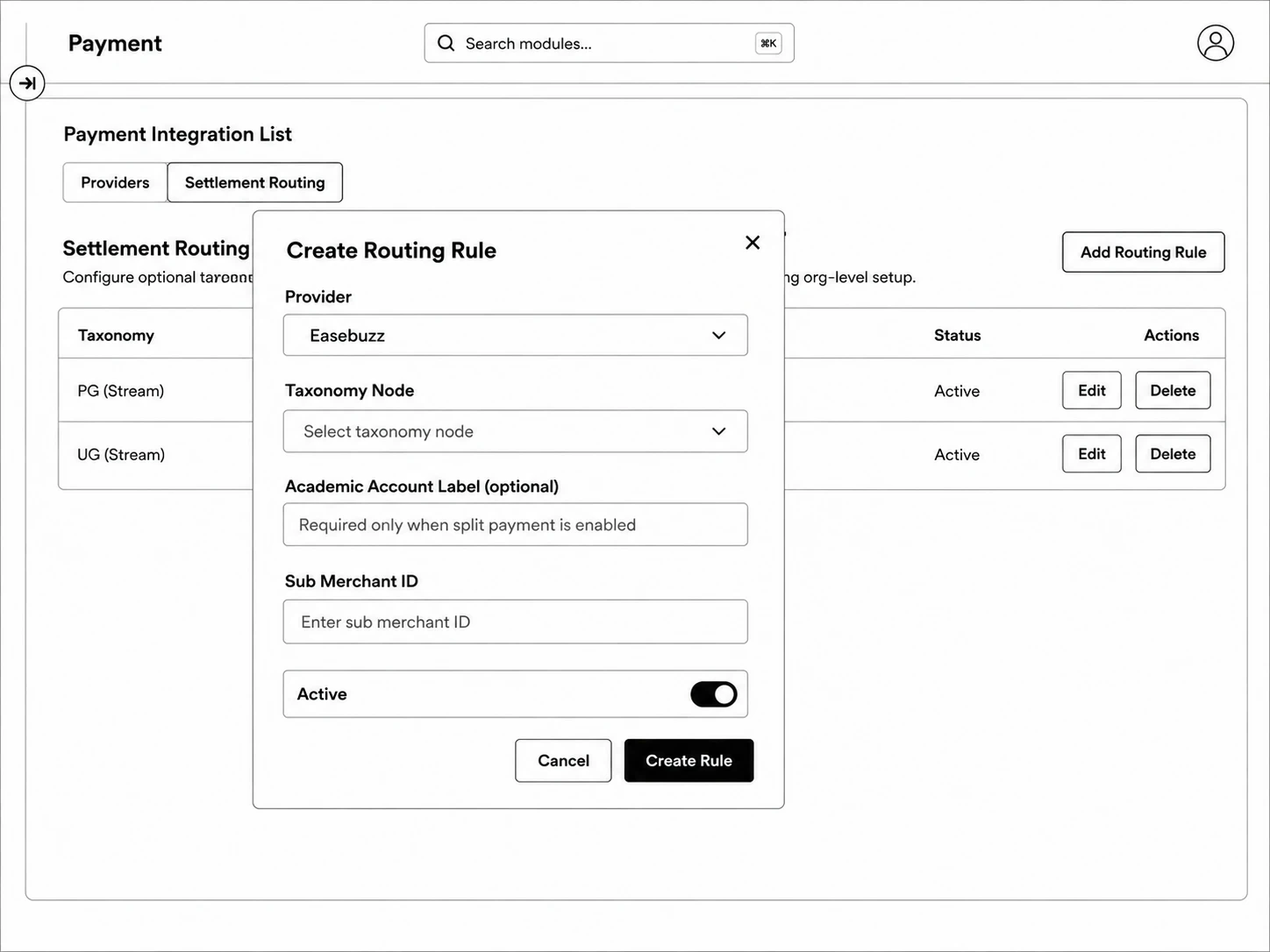
Route specific taxonomy nodes (courses/programs) to a specific payment provider and account — useful when different programs need to settle into different bank accounts.
Step 1: Go to the Settlement Routing tab and click Add Routing Rule.
Step 2: Choose the Provider, the Taxonomy Node it applies to, and the provider-specific account details (e.g. Academic Account ID for Razorpay, Sub Merchant ID for Easebuzz).
Step 3: Toggle Active and save.