Communications — Email — How to Use Email
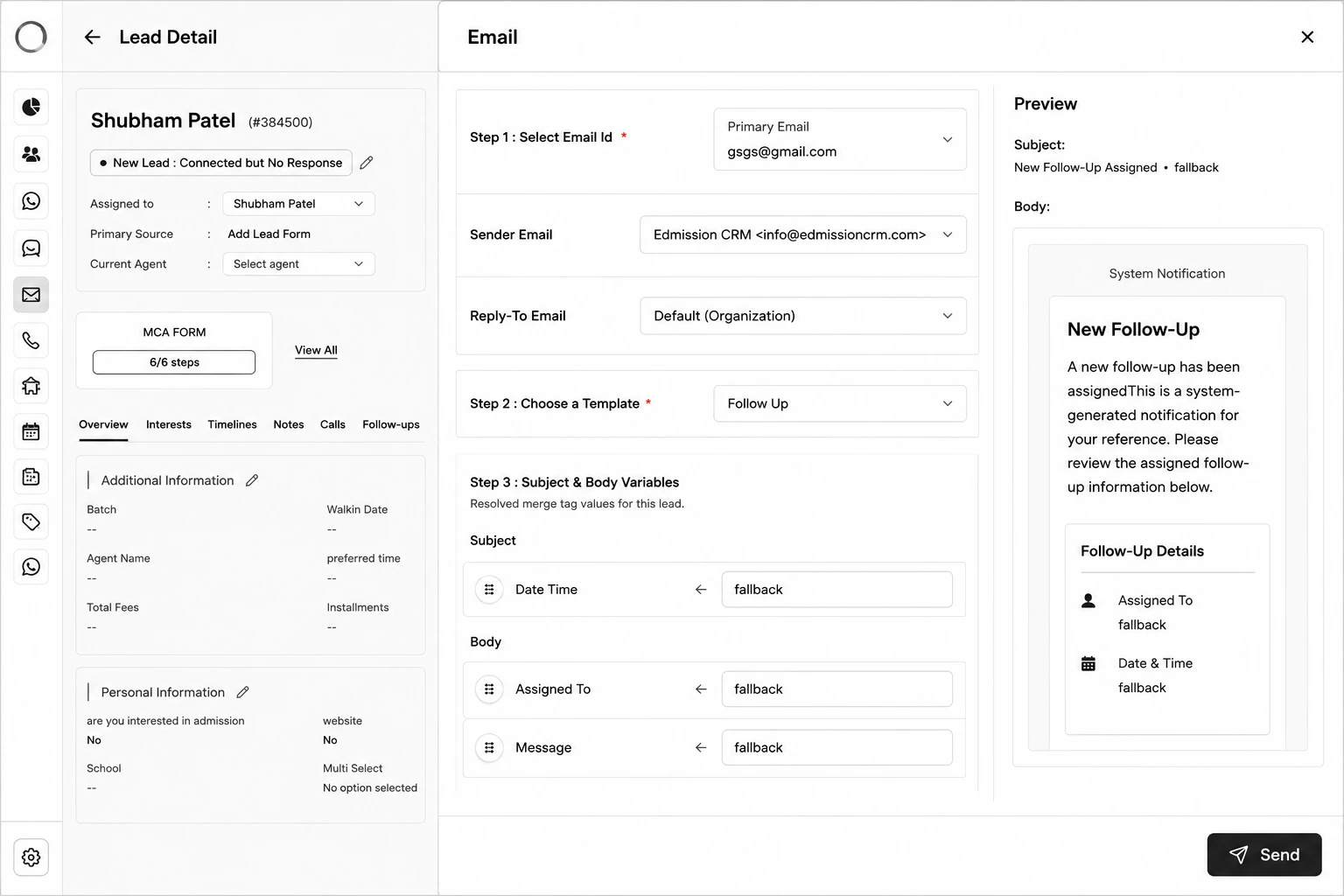
Step 1: Open the lead and click the Email action.
Step 2: Select the Email Id to send from (and optionally a Reply-To Email).
Step 3: Choose a Template.
Step 4: (If needed) Select an Application or Meeting record, and a Taxonomy/Preference for payment-related templates.
Step 5: Fill in any remaining Subject & Body Variables that weren't auto-mapped.
Step 6: Review the Preview (subject, attachments, body), then click Send.