Forms — Application Form — Application Setup
Application Setup is where you set an expiry (deadline) date for applications — but importantly, it's set per course/specialization, not per form. One expiry date applies globally across every application form for that specialization.
What You Can See
All and Expired filter tabs, showing every specialization from your course hierarchy with its current Expiry date (or "--" if none is set) and a red Expired badge if the date has passed.
Each row shows the full hierarchy path (e.g. University → Course → Specialization) so you know exactly which course you're setting a deadline for.
How to Set an Expiry Date
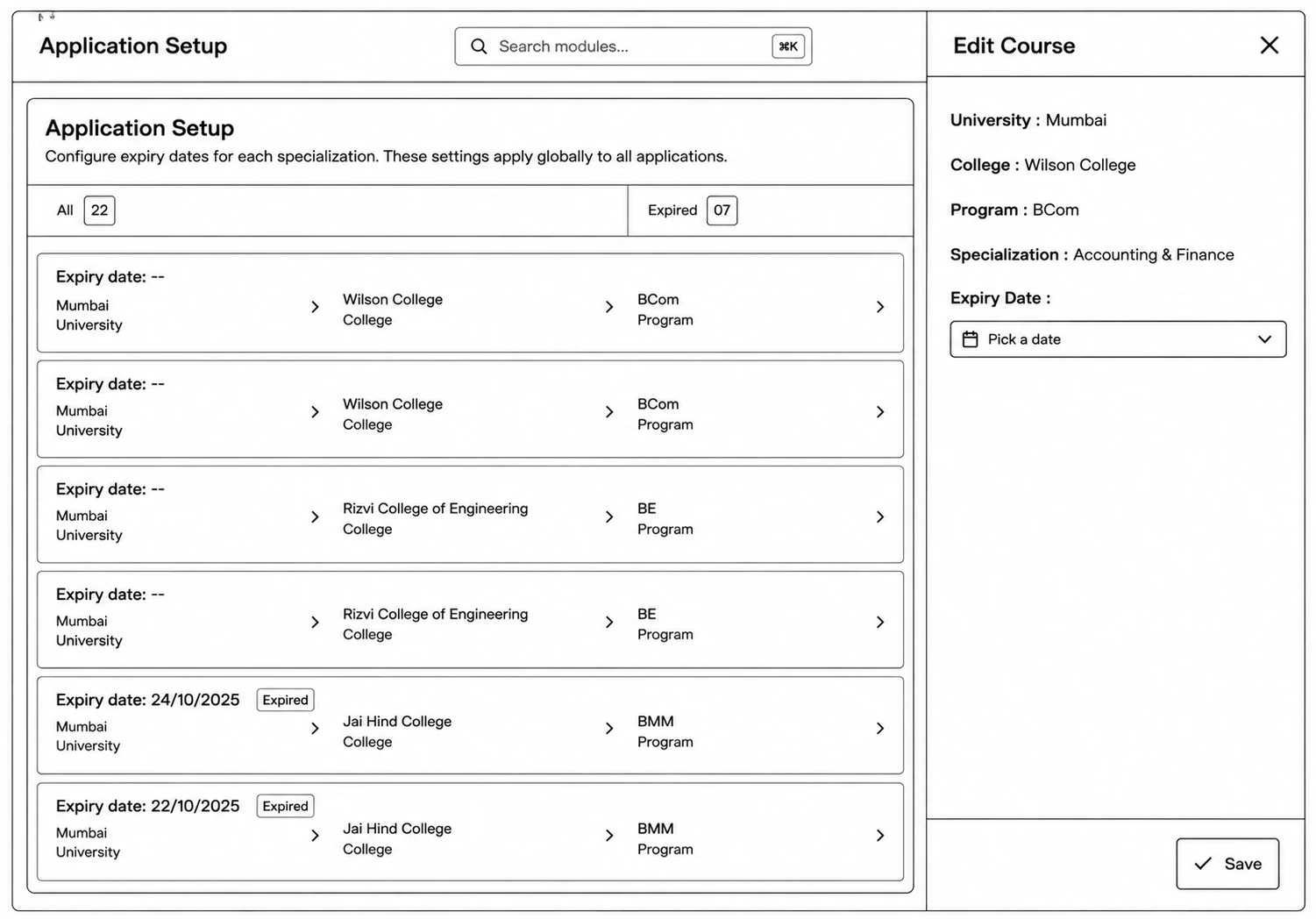
Step 1: Go to Application Forms → Application Setup.
Step 2: Find the specialization you want to set a deadline for (use the All / Expired tabs to filter).
Step 3: Click the pencil icon to open Edit Course.
Step 4: Pick a date under Expiry Date.
Step 5: Click Save.