Chatbot — Chat Flows
Chat Flows are guided, scripted conversations — think of them as a decision tree the bot follows instead of (or alongside) AI-generated replies. A flow is separate from a chatbot; a chatbot simply attaches one or more published flows.
How to Create a Flow
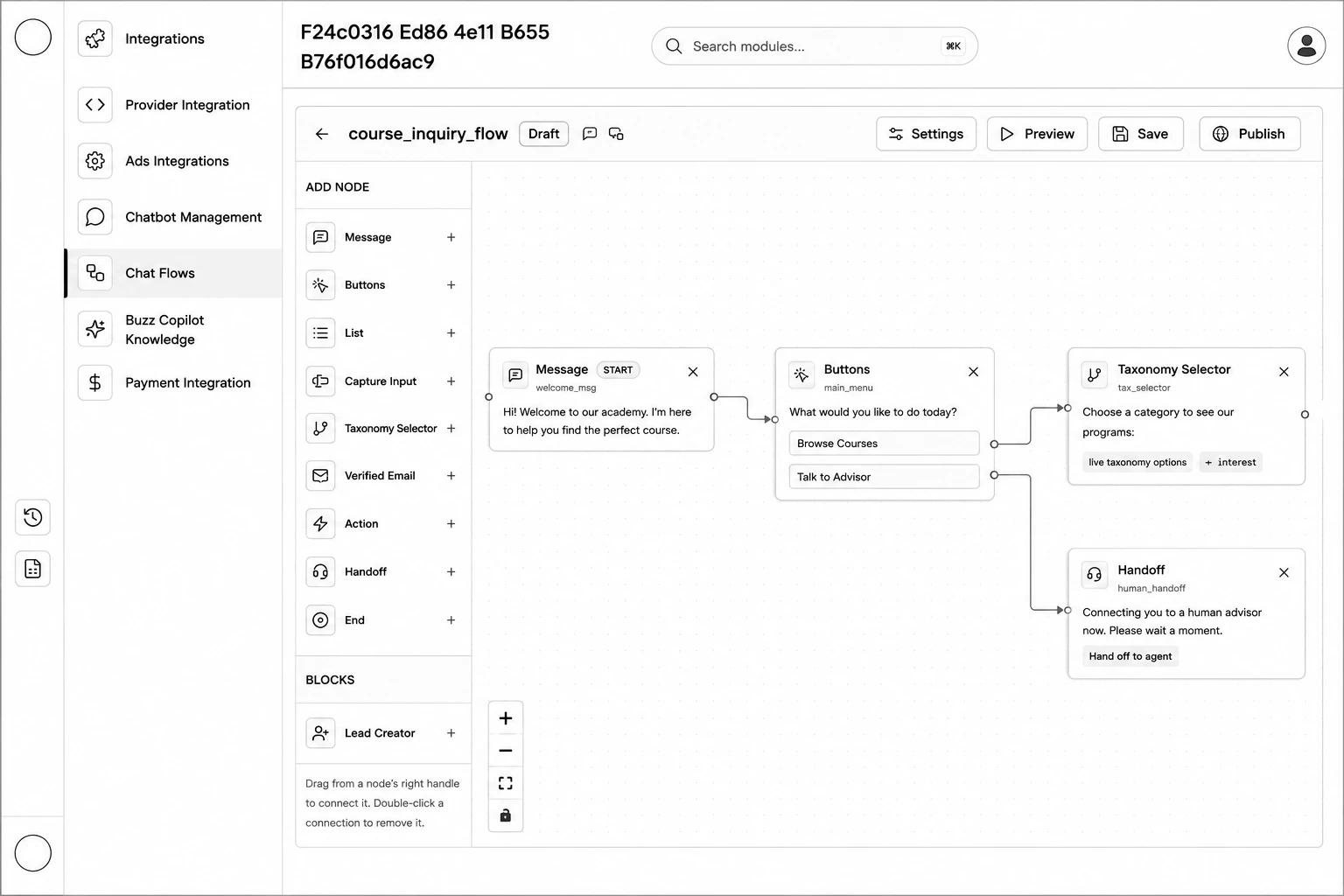
Step 1: Go to Chatbot Management → Chat Flows and click New Flow (starts from a basic welcome → menu → end template) — or click Generate with AI, describe what the flow should do, pick the Channels (WhatsApp / Web chat), and click Generate.
Step 2: In the editor, drag nodes from the Add Node palette onto the canvas.
Step 3: Connect nodes by dragging from a node's right-hand connector to the next node. Double-click a connection to remove it.
Step 4: Click a node to open the Flow Properties panel on the right and configure its content.
Step 5: Click Settings to set the Flow name, Description, Channels, Trigger keywords, and whether it's the Entry menu.
Step 6: Click Save, then Preview to test it, then Publish when ready. (Publishing checks for errors and blocks with a list of issues if something's missing.)
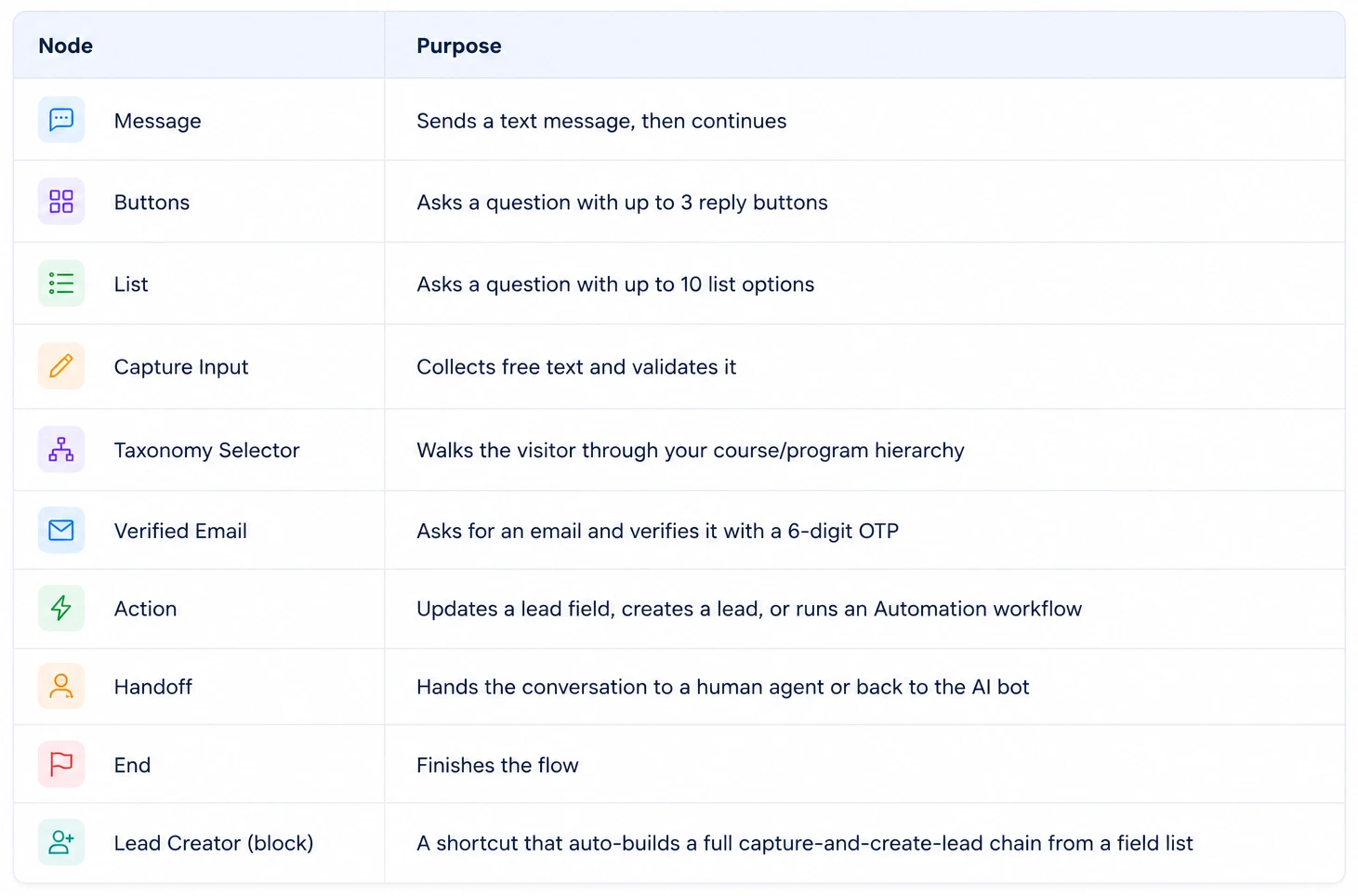
Node Types Available