Leads — Applications
Every application form this lead has submitted or started.
What You Can Do
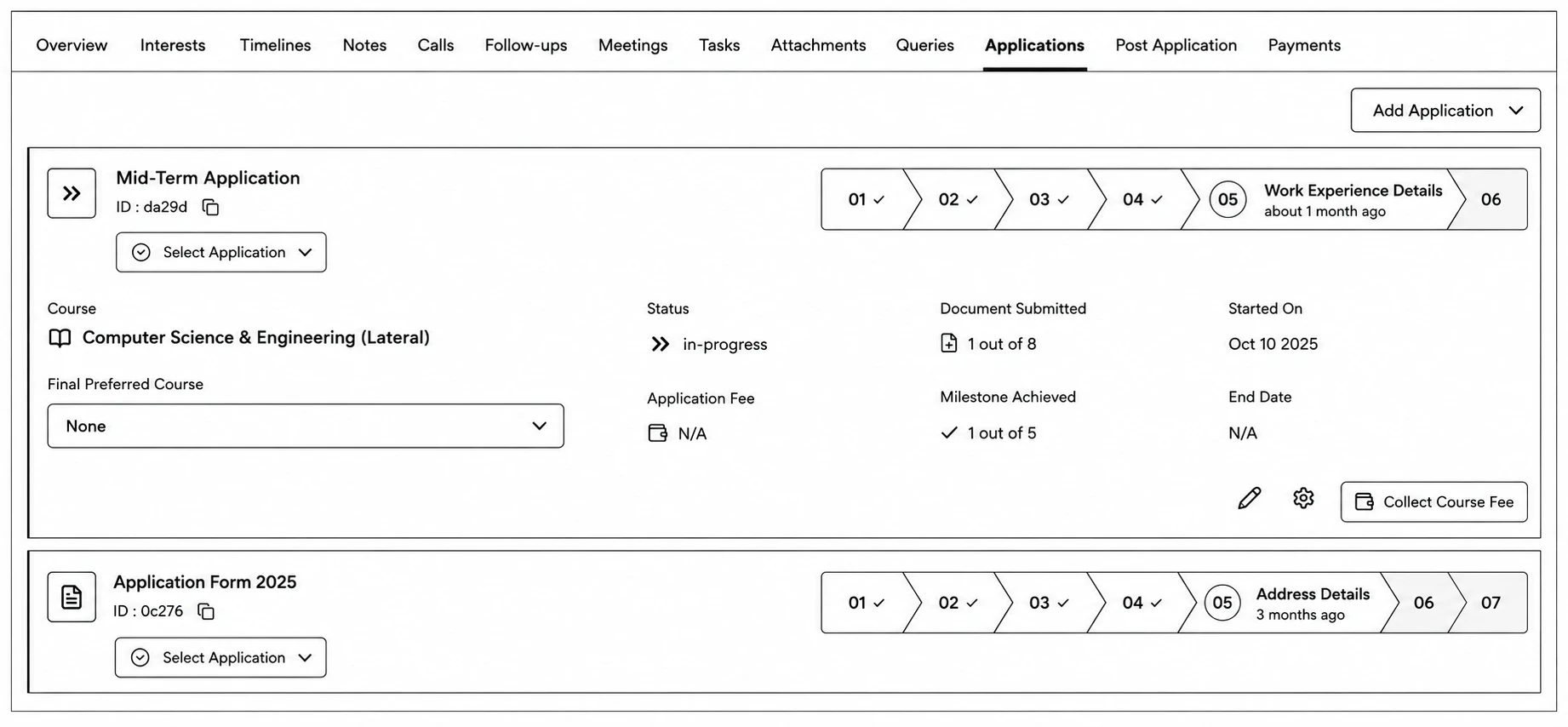
- Click New Application / Add Application to start one, searching from your org's published forms.
- Each card shows the course, a progress stepper, status (e.g. Draft, Submitted, or the current step), application fee and payment status, document/milestone progress, and — if relevant — Interview Publish State and Interview Status.
- Click View on a submitted application to open it read-only; click the pencil icon to continue filling out an unsubmitted one.
- Use the gear/Settings icon to open the application's action sheet — Edit Form, a Fee Summary, and Milestone Achieved tracking.
- If course-fee installments are enabled, a Collect Course Fee button lets you start a payment plan directly from here.