Bulk Action Logs — Interview Slot
Unlike the other log types, Interview Slot logs let you see exactly which applications were affected.
How to Bulk Interview
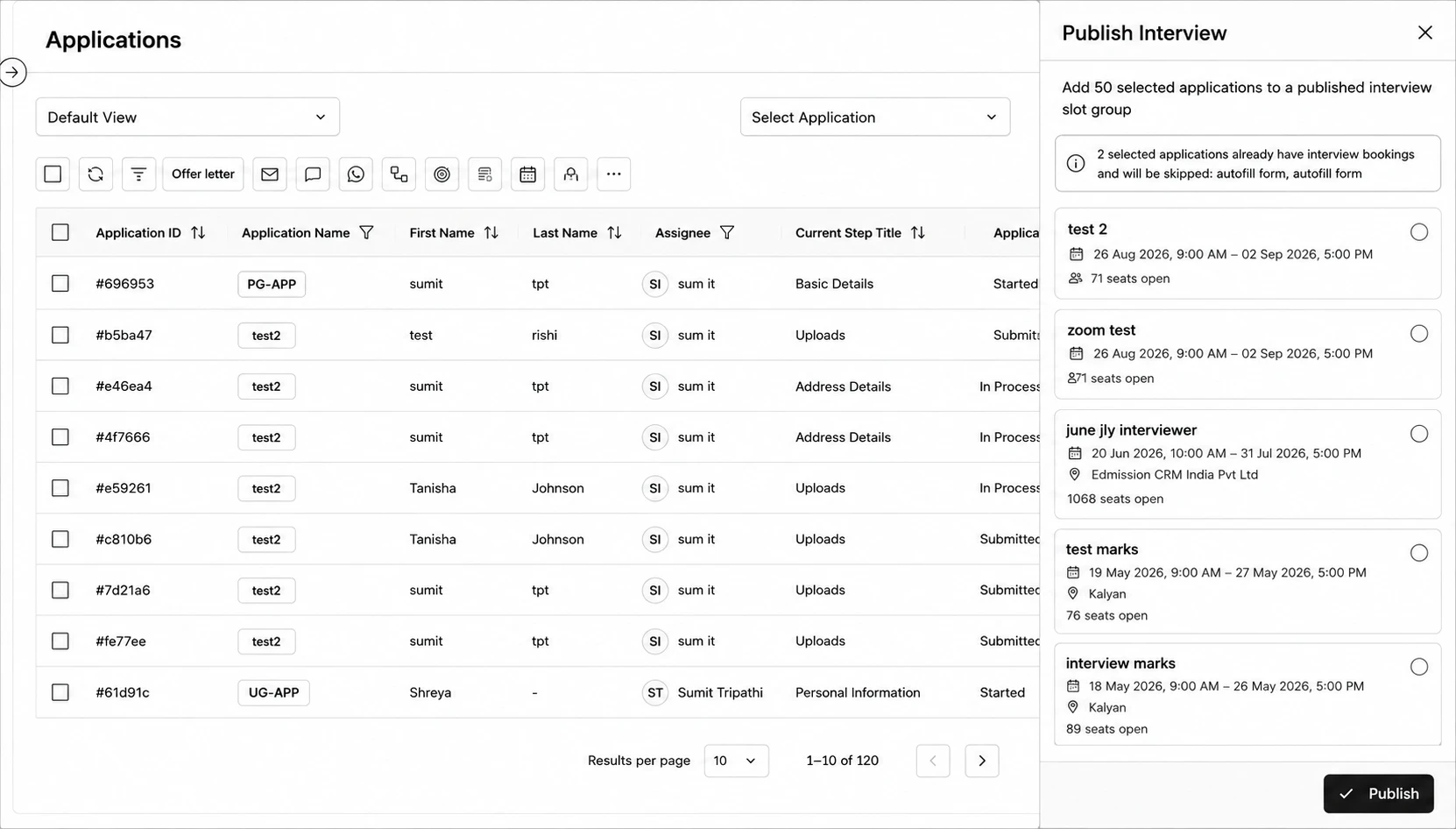
Step 1: Go to the Applications page and select the applications you want to add to an interview slot group using the row checkboxes.
Step 2: Click the calendar icon in the bulk actions bar to open Publish Interview.
Step 3: Pick a published interview slot group from the list — each shows its date range, location, and seats open.
Step 4: Click Publish to add the selected applications to that slot group.
What You Can See
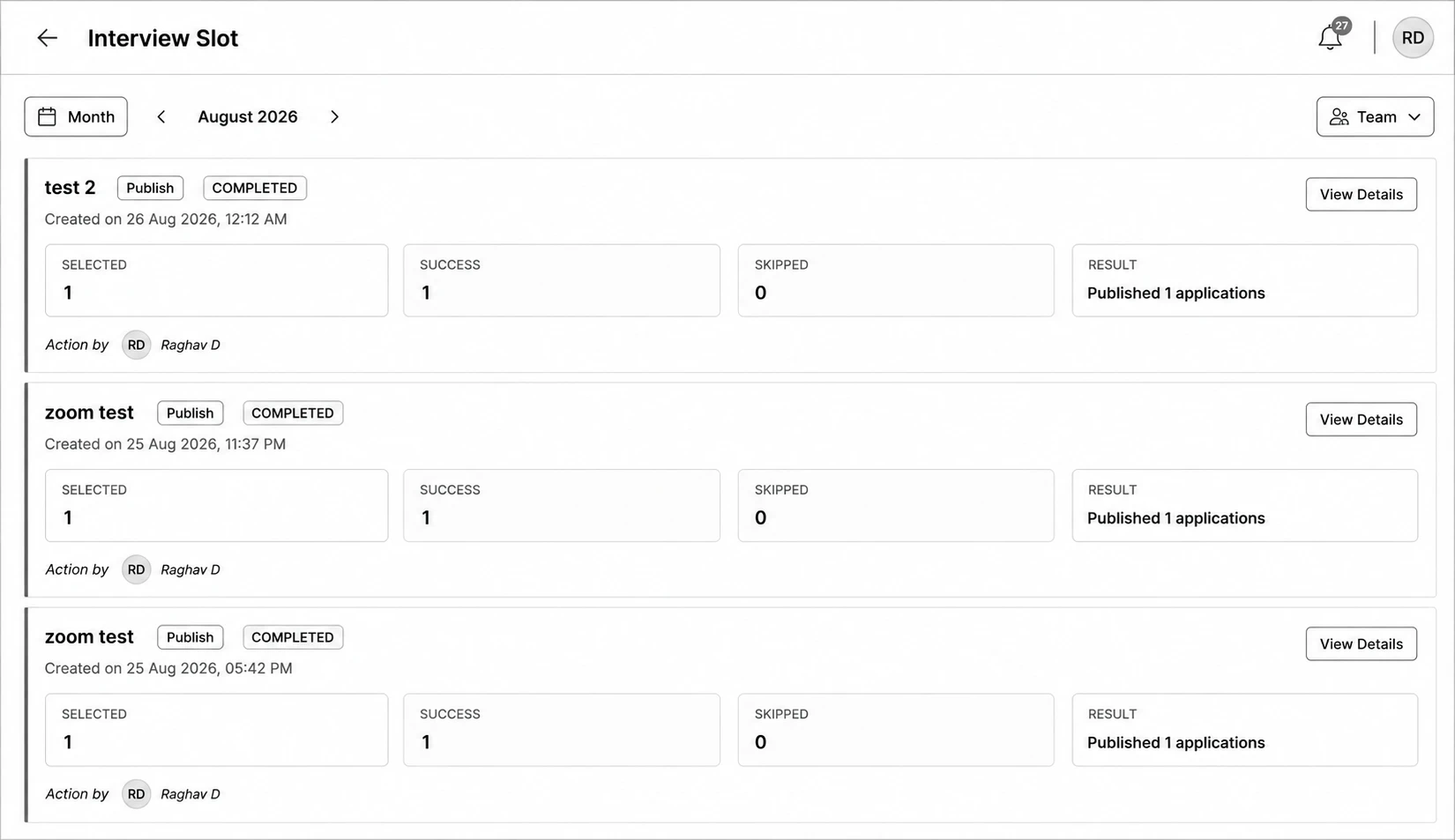
- Each entry shows the Slot Group name, the operation (Assign or Publish), and a stat grid: Selected / Success / Skipped.
- Click View Details to open the full results list — every application involved, its interview time slot, and — for any skipped — a plain-language reason like “Already has an active interview booking”, “No seats available”, or “Conflicts with another interview time.”