Lead Score
The Lead Score module lets you automatically rank leads by how engaged and sales-ready they are. You assign points to different activities a lead performs — submitting an application, opening an email, replying on WhatsApp, moving to a certain stage, and so on — and the CRM adds them up into a single score. Higher scores highlight the hottest leads, so your counsellors know who to prioritise first.
How to Configure Scoring Rules
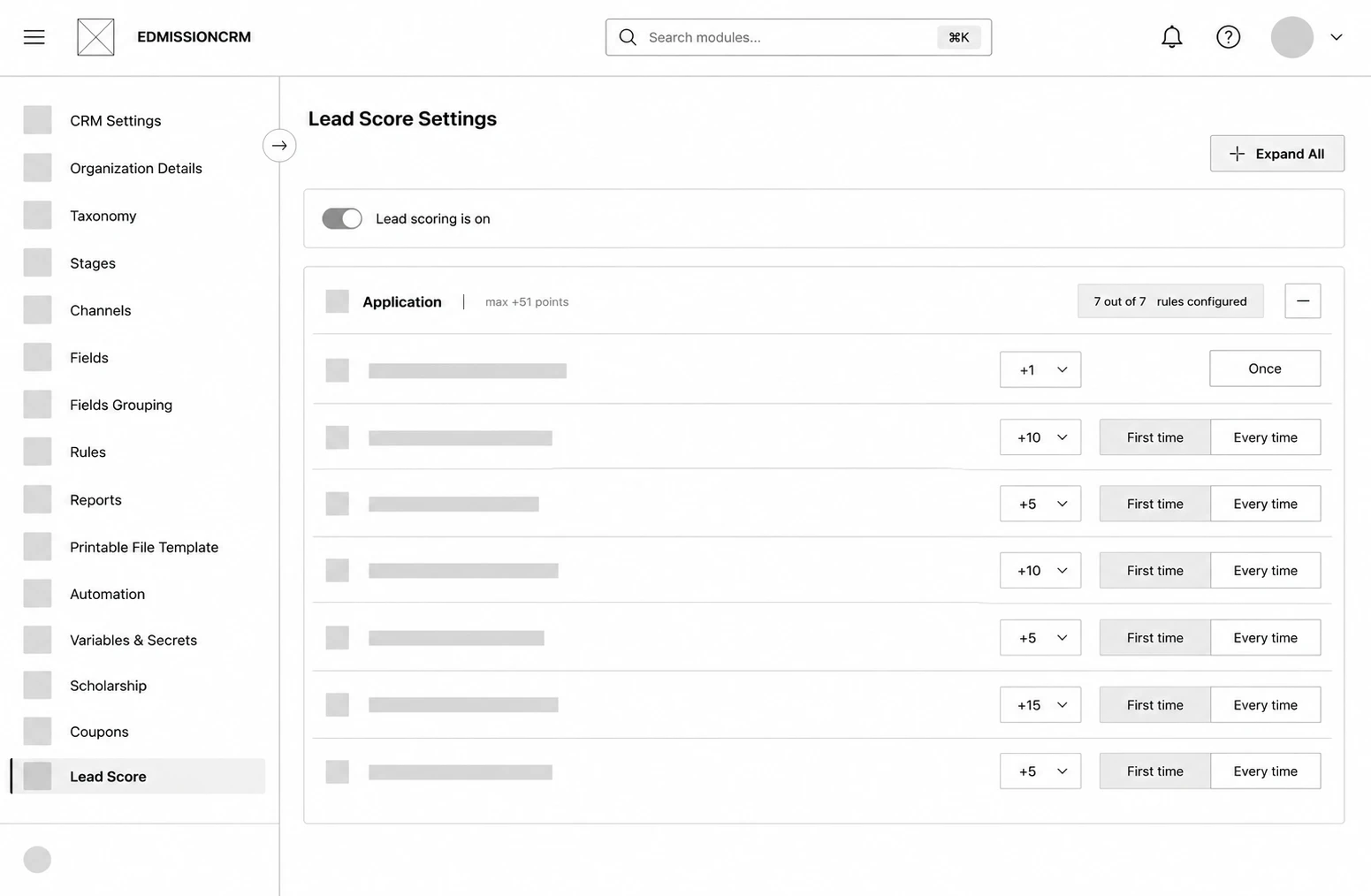
Step 1: Click a category (e.g. Email) to expand it, or use Expand All to open every category at once.
Step 2: For each activity, set the Points using the input box or the up/down arrows — enter a positive number to reward the action or a negative number to penalise it. Set it to 0 to ignore that activity.
Step 3: Choose how often it is counted — First time or Every time. (Fixed activities show a locked Once badge and cannot be changed.)
Step 4: Repeat for the activities you want to score across each category.
Step 5: Click Save Score to apply your changes, or Cancel to discard them.